



History
The detailed RailModeller version history can also be found in the manual.
Changes in Version 4.1.7
- RailModeller
- Fixed an issue where the user interface could lock up following a cancelled 'Connect With..' operation
- 'Connect sectional tracks' now considers more potential track connections to find more solutions
- Fixed a potential crash where layers where still shown after a worksheet was already closed
- No longer attempting to automatically locate an old license file when launched for the first time as it does potentially take a long time
Changes in Version 4.1.6
- RailModeller
- Improved compatibility with Mac OS X 10.8 (Mountain Lion)
- Fixed an issue where users could save files with a slash character in the filename
- Using 'Zoom to fit' with very large layouts (>100m) could cause an error message
- Better integration of worksheets with Finder Search and Get Info display
- Cosmetic issues with bubbles displayed in 'Connect with' functions fixed
Changes in Version 4.1.5
- RailModeller
- New function to reset height of selected tracks to 0
- New function to hide all except the active layer
- Fixed a crash with the tape measure tool
Changes in Version 4.1.4
- RailModeller
- Graded sections with non-contiguous grades could be created in certain scenarios
- Relaxed rules for connecting tracks taking into account individual track gauges and a configurable factor
- Improved behaviour of the tape ruler tool for areas dense with track joints
- Shortening a flex track could result in areas of the flex track not responding to mouse clicks
- The Connect With Tracks calculation could run out of memory and crash the application in certain scenarios
- Fixed an issue when exporting SLIF files with non-roman characters in the file name
- Fixed a crash in the demo version when attempting to export an image
Changes in Version 4.1.3
- RailModeller
- Grading a section could result in an application error message
- Bubbles highlighting source and candidate joints for track connections and grades were sometimes not displayed
Changes in Version 4.1.2
- RailModeller
- An error in english and german localizations resulted in wrong strings displayed throughout the application
- Prevent multiple layers having identical names
- Track heights could be printed at a tiny size when display of element names was switched off
- Fixed an error with misplaced track heights occuring at random locations in printouts
- Grading a section of non-contiguous tracks could result in an error message
- The Helix dialog could cause a crash when invoked repeatedly
- Fixed a crash in the Preferences dialog
Changes in Version 4.1.1
- RailModeller
- Element names were not visible on some 10.7 systems
- Fixed a rare problem where installing the license key could fail due to an existing, corrupted license file in the RailModeller 'Software License' folder
- Enhanced SLIF file format
Changes in Version 4.1
- RailModeller
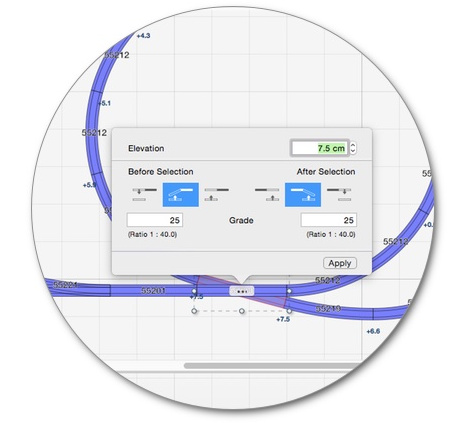
- New 'Grade section of tracks' function allows easy grading of a selected track section
- The track helix function now supports creating track helixes with flex track
- The Create Grade function has been conveniently split into dedicated 'Create Grade to Track' and 'Set Height for Tracks' functions
- New 'Show All Layers' command
- Snapping to tracks can be disabled in the tape ruler tool by holding down the CMD key
- The Bend to Straight function for flex tracks with 4 control points could result in flex tracks that were no longer editable by hand
- Pasting elements now assigns them to the active layer
- Streamlined license installation process
- Quick link to the tutorial videos added to the Help menu
Changes in Version 4.0.2
- RailModeller
- New Terrain Options allow customization of steepness, roughness and resolution of the auto-generated terrain
- Improved performance for terrain generation and SLIF export
- Improved 3D view performance for terrain display
- Terrain could conceal parts of tracks on grades
- Minor improvements to the Stock Dialog
- Editing properties of flex tracks at a height above zero level could reset the flex shape to a straight track shape
Changes in Version 4.0.1
- RailModeller
- Improved terrain generation creating smoother landscapes
- Layer visibiliby was ignored when printing always printing hidden layers
- Fixed a refresh issue in the partlist
- Improved placement of toolbar and palette windows for configurations with the Dock on the left/right border of the screen
- RailModeller no longer claims to be an editor for CSV files in the Finder
- Display info message when a track helix can't be created from railsets without curved tracks
- Improved messages when grades could not be created for various reasons
- Railset Editor
- Opening railsets could result in an error message
- Fixed an issue with overlapping views in the main window
- Minor improvements to the user interface
Changes in Version 4.0
- RailModeller
- Support for full three-dimensional planning with heights and grades added
- New Grade/Height Dialog to create graded track sections or move elements to a specific height
- New Track Helix Dialog to conveniently create track helixes
- Optional Grade Profile view in the worksheet window showing a frontal view of all tracks and their respective heights
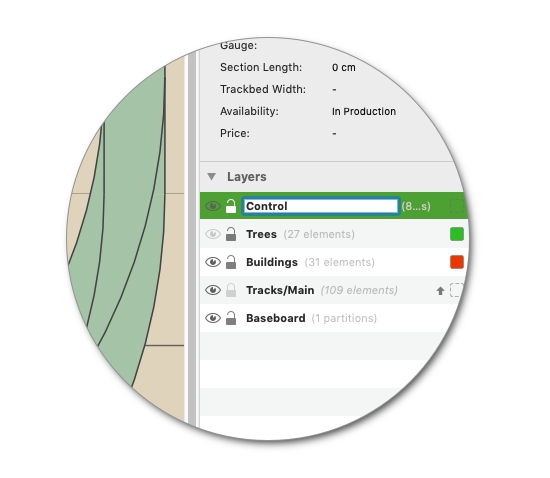
- Support for layers added with the ability to assign elements to a layer and to hide/show and lock layers
- New Layer Palette
- New Layer menu for creating, renaming, deleting, locking, hiding and assigning elements to layers
- Info Palette now displays the height and grade of the selected track element in per mille
- New options in the Display menu to show the heights of tracks (optionally only in graded sections)
- New option to offset the height display for track elements for better readibility
- New printing architecture fixes occasional 1:1 printout errors
- New function to select all track elements
- New function to select all elements in the active layer
- The measure tool optionally displays height differences between tracks with SHIFT
- Tooltips and the measure tool display were not shown on secondary monitors
- Update check without the worksheet window open could block the application
- Connect with Flextrack dialog preselects a track of the current railset
- Connect with Flextrack automatically created graded flextracks when connecting tracks at different heights
- Enhanced 3D mode shows tracks with real trackbed width and rail dimensions
- New option for 3D mode to show only track elements
- New automatic terrain generation feature for 3D mode
- New option to show elements of all (including hidden) layers in 3D mode
- New "Highlight unconnected Joints" track style option to highlight where tracks are not connected
- Fit to page zoom factor was wrong when print dialog was invoked for the first time
- Cleanup Orphaned Track now highlights tracks to be deleted and asks for confirmation
- Moving objects in the worksheet now retains the order of the element/group
- Invert Selection sometimes failed to invert the selection state of grouped elements
- New export functionality to save layouts as simple layout interchange format (SLIF) version 2 to be imported by third party applications
- Dragging items out of the worksheet or to invalid locations caused them to disappear
- Numerous internal changes to improve the application performance
Changes in Version 3.1.6
- RailModeller
- Flextracks can snap to other tracks when editing the flextrack shape using the mouse
- New "Track Names Only" function to display element names only for track elements
- All occurances of an element can be selected in the worksheet from within the Partlist dialog
- Triple click on an element selects all connected elements
- Holding the Option key while creating a circle or rectangle centers the new element at the initial mouse position
- Minor improvements in the "Connect with Tracks" dialog
- Fixed missing localizations for flextrack warning messages
- Creating a new selection marquee while holding the Shift key now keeps the current selection
- Generic flextrack names and descriptions are now properly kept up to date
- The "Connect With Flextrack" function now creates generic flextracks with a max. length of 110% of the length required for the connection
- Product number and description for generic flextrack changed to be more consistent
- Situations where stock elements are not found in any known railset are handled more gracefully
- Fixed a cosmetic bug when shaping flextracks with no fill color
Changes in Version 3.1.5
- RailModeller
- An error was reported when elements using quotes (") in the product number were used in the stock
- Fixed a memory leak causing crashes especially with the polygon and line tools
- Cloning multiple elements (option click and drag) reversed the element order
- Default railsets with umlauts could not be loaded automatically at startup
- Display of long filenames fixed in various places
- Curved elements could be displayed with holes on top in 3D
- Railset Editor
- Importing SVG elements containing relative paths didn’t work
- Fixed import of SVG elements with paths using coordinates in exponent notation
- Various minor improvements in SVG import
- Fixed refresh issue in element editor view
Changes in Version 3.1.4
- RailModeller
- New Export to TrainPlayer feature for transferring RailModeller layouts into TrainPlayer
- Railset Editor couldn't be opened from RailModeller on Mac OS 10.5
- Fixed cosmetic glitch for dragged elements on Mac OS 10.5
- Improved hightlighting of selected element in RailSet Palette
- Update check didn't show result until connection timeout
- Fixed a problem with wrong zoom settings for the Fit to Page printing option
Changes in Version 3.1.3
- RailModeller
- Fixed wrong display of elements
Changes in Version 3.1.2
- RailModeller
- Improved performance of numerous operations
- New function to export the parts remaining in the stock for the current worksheet
- New function to select all text elements of a worksheet
- Paste was not functional in the contextual menu
- Some Mac OS X dialogs were not localized for the german locale
- Saving files on a path containing non-Latin characters failed with an error message
- Fixed a cosmetic problem when dragging text elements
- Fixed a wrong error message when launching the Railset Editor from RailModeller
- Fixed display of text elements in 3D mode on Intel Macs
Changes in Version 3.1.1
- RailModeller
- Startup delay in the demo version splashscreen removed
- Fixed a problem with potentially wrong element colors on Intel Macs
- Fixed a problem with bad palette window positions on Intel Macs
- Files in the recent file list could sometimes not be opened
- Cosmetical glitch in the Software Update dialog fixed
- The last 3D position was not handled correctly on Intel Macs
Changes in Version 3.1
- RailModeller
- Delivered as a Universal Binary running natively on both, Intel and PowerPC Macs
- Significantly improved loading time for large worksheets
- Toolbar segments can be configured directly via the Toolbar's contextual menu
- New "Select in Railset Palette" function switches to the selected worksheet element in the Railset Palette
- Improved tape measure tool with new option to show horizontal and vertical distance as two distinct measurements
- The tooltip containing the current measurement was sometimes not displayed in the tape measure tool
- New option to print either 1 or 2 markers to help the assembly of multi-page printouts
- New options to print layouts in 1:2 and 1:10 scale
- Added automatic scrolling when elements are dragged near the edge of the worksheet window
- Smoother editing of polygon and flextrack points at high zoom levels
- New shortcut for "Connect segment to"
- New shortcut for "Select Connected Elements" (Option-Doubleclick)
- Minor improvements in the Stock dialog
- New "Paste Original Position" command to place a pasted element at the same position as the copied element
- Changing price and currency of flextracks didn't work in the Partlist Dialog
- Fixed a very rare crash during printing
- Fixed a cosmetical glitch when dragging elements under Mac OS 10.5
- Mac OS 9 no longer supported, OS 10.3 or better required
- Railset Editor
- Delivered as a Universal Binary running natively on both, Intel and PowerPC Macs
- Mac OS 9 no longer supported, OS 10.3 or better required
Changes in Version 3.0.5
- RailModeller
- Move element to front/back now possible for multiple elements
- Pages were missing in printouts
- The grid could be printed in wrong scale
- Outline mode for polygon elements didn't work
Changes in Version 3.0.4
- RailModeller
- Added import of Mac MoVe XML files written by Mac MoVe for english locale
- Improved ruler display for feet units
- New "Center On Current Selection" function
- Improved zooming behaviour to always keep the center of the worksheet centered
- Minor improvements in the "Worksheet Properties" dialog
- Mouse cursor was sometimes wrong in various tools
- The "Connect With .." modes could hang when the Move Worksheet shortcut (Cmd - Mouse) was used during joint selection
- Long descriptions and comments were cut off after 255 characters in the Worksheet Information dialog
Changes in Version 3.0.3
- RailModeller
- Improved Polygon Editor allows to convert polygon to line elements and vice versa
- New "Scale Element" function in the Polygon Editor
- Flextracks, polygon and line elements could no be selected via mouse clicks
- Constraints check was disabled when editing flextracks
- Small text font size corrected for Mac OS 9
Changes in Version 3.0.2
- RailModeller
- The suffix for exported graphics files is automatically appended to the filename
- Short click in the toolbar rotate control didn't bring up the "Rotate Elements" dialog
- Tracks in the Railset Palette now use the drawing style chosen in the current worksheet
- A slightly wrong center position could be displayed by the "Move Elements" dialog depending on the current worksheet zoom factor
- Fixed a crash at application startup with certain preferences settings
- Fixed a crash when working with text elements under Mac OS 9
- On multi-processor machines the "Connect with Tracks" function could crash
- Improved error message when files with wrong file types are dropped on the application icon
Changes in Version 3.0.1
- RailModeller
- Various cosmetic fixes on Mac OS 9
- Entering license keys from the "Registration" panel of the preferences didn't work on Mac OS 9
- Misleading error message fixed when default railset could not be located
- Import of Mac MoVe XML documents could result in an endless loop
- Elements in the Railset Palette were sometimes drawn in text representation even if they could have fitted into the buttons
- The "Bend to Curved" panel of the Flextrack editor could display a wrong error requester in a loop
- The Railset Editor could not be started using the "Element > Launch Railset Editor" menu item
- White colored elements could not be selected by clicking them
- An error message could pop up after editing flextracks and polygons with contextual menu commands
- Railset Editor
- New "Set Middle Rail Setting to All Elements" function
- Wrong tracklength for curved tracks could be displayed
- Outline inactive only had an effect for track components
- Specifying the rail head width had no effect
- Elements in the "Library Contents" list were sometimes drawn in text representation even if they could have fitted into the list
- Help > RailModeller Manual displayed an error message
Changes in Version 3.0
- RailModeller
- Customizable track drawing styles: full trackbed width, gauge width, single line. Optionally draw trackmarks, joints and center line
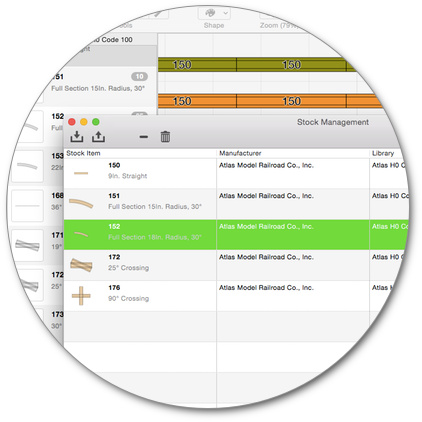
- Support for stock added
- Stock can be imported from and exported to either Mac MoVe or plain CVS text files (Tab separated)
- The number of elements remaining in the stock can optionally be displayed in the Railset Palette
- The display of flags for obsolete elements in the Railset Palette can now be controlled from the preferences
- All file exports have been replaced by a single export dialog with Format popup
- New "Connect with Sectional Track" function automatically connects two tracks with a variable number of sectional tracks
- The Options menu has been removed, application wide settings have been moved to the preferences dialog, worksheet related settings can be found in the new Display menu
- New Arrange menu provides direct access to functions for connecting tracks and segments
- New Preferences dialog
- New Toolbar with configurable contents and icon sizes
- Enhanced Print dialog
- Layouts can be printed in full size (1:1 scale)
- New option to omit pages without tracks from the printout
- New option to print markers to ease the assembly of printouts with multiple pages
- Automatically adjust the printout size to the margins of the currenty selected printer
- Name of printouts as displayed in the Printer Dialog or the Mac OS Preview application was sometimes wrong
- Extended worksheet properties dialog
- Additional fields for worksheets to enter comments and a file revision
- Worksheet descriptions can contain up to 4096 characters
- Text elements can be edited directly in the worksheet
- Text elements can have up to 4096 characters
- Improved drawing speed for text elements
- New "Cleanup Orphaned Tracks" function
- Currency and measurement units were not displayed localized in all dialogs
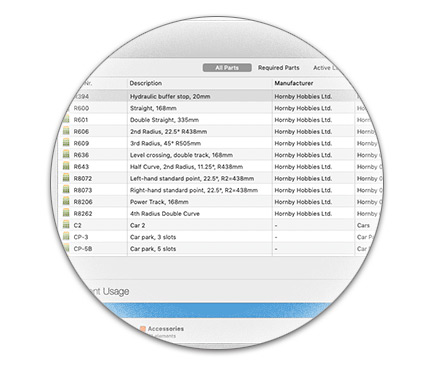
- New Partlist dialog with integrated price editor
- Partlists can be copied to the clipboard
- New concrete, grass and sand textures for 3D mode
- Trackbedwidth can be changed for a particular and batch-changed for all dynamic flextracks of a worksheet in the Flextrack Properties dialog
- Direct access to rotation by 15, 30, 45, 90 and 180 degrees via Rotate control popup window
- New Railset Palette function to launch the Railset Editor with the railset currently displayed in the Railset Palette
- About box and Registration panel in the preferences now provide assistance for installing the license key
- Selected elements are framed in red color to be easier recognizable from unselected elements
- Default element name color was not stored in the preferences
- Fixed a bug in "Connect with Flextrack" where valid destination joints were sometimes not selectable as target joint
- License keys are no longer release specific and have been moved to "~/Library/Application Support/RailModeller/Software License"
- Sometimes the length of a group of tracks wasn't calculated correctly
- Mac OS 8.6 support dropped, minimum OS version supported is OS 9
- Railset Editor
- New Comment field for railets to denote additional information related to the railset
- New field for trackbed width
- New field for rail width
- Improved Railset Comparison dialog
- Mac OS 8.6 support dropped, minimum OS version supported is OS 9
Changes in Version 2.3.4
- RailModeller
- Redesigned and improved print dialog
- Center label for printouts can optionally contain date or user specified text
- New "Fit Worksheet" option to automatically adjust zoom factor to fit on a single page
- New selection mode to select all elements of the same railset
- Worksheet rulers displayed wrong information when units were set to feet
- The page number was missing in print outs
- Elements were sometimes missing in printouts
- Row and column coordinates of pages were not printed
- Problem with the application icon corrected, could be displayed incorrectly on some Mac OS X systems
- Railset Editor
- Problem with the application icon corrected, could be displayed incorrectly on some Mac OS X systems
Changes in Version 2.3.3
- RailModeller
- Tooltips were sometimes not shown
- The Tape Measure could crash the application on certain systems
- Measurements for the Tape Measure were sometimes displayed at wrong locations
- Railset Editor
- Maximum trackwidth increased to 650mm
- Creation of rounded rectangles in the Polygon/Rectangle Dialog
- SVG importer crashed for some graphic files
- Improved SVG importer, now supports bezier curves and rounded rectangles
- Elements pasted into railsets did not adapt their modelscale to the hosting railsets scale
Changes in Version 2.3.2
- RailModeller
- When selecting elements with the lasso the current width and height of the selection rectangle is displayed in the position display
- Improved Element Info dialog for all element types, now shows dynamic descriptions for elements created on the fly
- Fast unit switch via CTRL-OPT-PageUp/PageDown allows to change the current unit without invoking the preferences
- Fixed a drawing bug in the Element Info dialog for huge elements
- "Bend To Straight" and "Bend To Curved" dialogs now provide an easy way of using the full flextrack length for parametrically bent tracks
- Application icon was still displayed as a document icon on some Mac OS 10.4 systems
- When exporting partlists from the Partlist dialog the dialog lost focus after replacing an existing partlist file
- Opening the 3D mode could hang in an endless loop for worksheets with particular curved elements
- The 3D menu was not responsive when switching to another application and back to the 3D view
- Rectangle elements would sometimes disappear or be partly invisible after changing the dimensions
- Correct a wrong tooltip for the info window, added tooltips for the worksheet position display and zoom control
- Railset Editor
- Fixed a crash when loading railsets with 1 or no elements
Changes in Version 2.3.1
- RailModeller
- The application icon was displayed as a document type icon on particular Mac OS 10.4 systems
- The worksheet rulers displayed divisions of 10 units with 12 subdivisions for imperial units
Changes in Version 2.3
- RailModeller
- Layouts can be up to 1000m x 1000m (3280ft x 3280ft)
- Zoomlevels of up to 500 % for editing, exporting and printing
- New Color Palette
- The Railset Palette can optionally be displayed horizontally beneath the worksheet window
- New category filter in the Railset Palette
- Railsets can be dynamically sorted in the Railset Palette by several modes
- Improved appearance and readability of the Railset Palette controls
- New categories: Slot Car, Digital/Electric, Symbols
- New Colorize Selection menu item
- Elements can be drawn outlined, without fill color
- Optionally display product number and description in the Info-Window
- New 10% setting for element name text size
- Added support for Danish Krone (DKK)
- New "Dark Grey / White" worksheet color scheme
- The grid can be displayed in 3D view
- 3D view can be controlled via numeric keypad and cursor keys
- Improved automated layout of palette windows via Cleanup Windows for more effective use of screen real estate
- Internal printing architecture completely rewritten to allow much larger printouts and to consume less memory and CPU
- Optionally display the coordinate for each page of a printout for easier assembly of the pages
- Pressing <SHIFT> while dragging elements inside the worksheet limits the movement to the horizontal or vertical axis
- Default worksheet dimensions in the preferences would sometimes round user input to incorrect values when using inch or feet
- Improved display of text elements in the 3D view (especially for large worksheets)
- "Cleanup Windows" better recognizes switched screen resolutions
- Automated search for a registered older release on the local harddrive to automatically unlock the new release using an existing license key
- Railset Editor
- Elements can be imported from SVG files
- Direct entry of polygon-point made more convenient for more than 10 points
- New "Scale Element" dialog for elements without track components
- New options to ask for confirmation when deleting elements and/or components
- Added support for Danish Krone (DKK)
- New option to sorting railsets automatically by type
- Optionally display the polygon point index of the currently edited polygon component as a tooltip
Changes in Version 2.2.5
- RailModeller
- The Element Info dialog can now be invoked for elements in the Railset Palette by clicking on elements in the palette while holding <CMD>
- Fixed a problem with text selection under Mac OS 10.4
- Print Dialog didn't work correctly under Mac OS 10.4
- Fixed a floor texture problem in 3D mode (Mac OS 10.4)
Changes in Version 2.2.4
- RailModeller
- Fixed a problem when saving previews with newly created worksheets
- Fixed a bug where white text was not visible in 3D mode
- Double-Clicks in Tape Measure mode could sometimes leave the ruler on the worksheet
- New "Zoom to Width", "Zoom to Height" options in worksheet zoom popup
- All textures can now be turned off via menu in 3D mode
Changes in Version 2.2.3
- RailModeller
- Page Setup settings are saved with worksheets
- Full screen option for 3D mode
- Texture for border-box can be turned off for Macs with slow graphics hardware
- Improved "Flextrack Properties" / "Bend To Straight" / "Bend To Curved" dialogs
- Fixed a problem with the Chicago font on some Mac OS X systems, Default font is now Geneva
Changes in Version 2.2.2
- RailModeller
- Markers for "Connect with flextrack" were not displayed
- Wrong initial library was loaded to the Railset Palette if no default library was chosen
- Manual wasn't found in the new "Documents" folder when opened from RailModeller or Railset Editor
- Fixed display of flextracks in 3D mode
- Fixed wrong color settings of text-objects in printouts and file previews
- Manual enhanced and updated
Changes in Version 2.2.1
- RailModeller
- Worksheets Documents can be opened by dragging the files to the worksheet window
- Default font for text elements can now be customized
- Display of worksheet location in worksheet info
- Improved display of rulers and fixed a bug when displaying Feet units
- Fixed a drawing bug were text on 8.6/9.x could overwrite the window scrollbars
- Fixed possible crash on 8.6/9.x with zoom-popup menu
- Fixed a bug with elements sometimes displayed in wrong colors in 3D view
- Fixed a bug with misplaced text in 3D view
- Undo after 3D view could cause a crash
- Minor user-interface enhancements
- Fixed several minor bugs
- Railset Editor
- New controls for more convenient editing of component angle and position
- Minor user-interface enhancements
Changes in Version 2.2
- RailModeller
- New functions for creating groups of elements
- Text elements can be rotated to arbitrary angles
- Flextracks can be bend parametrically to any straight or curved track
- "Connect with Flextrack" can now use flextracks from libraries
- New alternative pattern for selected elements
- New option for drawing Element-Name with outlines
- Support for Pound Sterling (£), Swiss Franc (CHF), Swedish Krona (SEK), Yen (JPY)
- New <CMD><Arrow> shortcut for scrolling the worksheet
- Support midrail for authentic 3-rail tracks
- Default width and height for worksheets can be set in the preferences
- Online-Help in preferences added (Tooltip for every option)
- New 3D Textures: Lawn, Sand 1, Sand 2
- Text is now displayed as a texture using the correct font in 3D view
- Optimized display of textures in 3D view and cosmetic enhancements
- Native support for scrollwheels (Mac OS X only)
- Added Undo/Redo for Prefix, Elementname Display, Grid
- Improved hierarchical directory structure for "Railsets" folder
- Enabled copy and paste between Railset Editor and RailModeller
- Dragging single elements with <shift> crashed the application
- Recent Menu items starting with a hyphen were not displayed
- Creating 90-degree flextracks sometimes didn't work in Connect with Flextrack
- Fixed a cosmetic flaw in Connect with Flextrack with very distant joints
- Fixed an error where dragged elements would sometimes not snap
- Element-order was reversed for canceled drag&drop operations
- Particular elements (e.g. turntables) sometimes failed to connect
- Fixed a bug in the "Move Selection" Dialog
- Correction of several translations
- Fixed mixed linebreak style in exported partlists
- Fixed a few memory leaks
- Fixed various issues with Mac OS 8.6
- Fixed several minor bugs
- Railset Editor
- New "Polygon-Tool" function: Scale, Merge, Mirror X/Y, Round
- Improved polygon and line macros
- Introduced Cut/Copy/Paste for elements and components
- Support midrail for authentic 3-rail tracks
- Support for 00-Gauge (1:76)
- Support for Pound Sterling, Swiss Franc, Swedish Krona, Yen
- Improved railset comparison function
- New Minimal List View Zoom preferences option
- Native support for scrollwheels (Mac OS X only)
- Rulers always started at 100% despite default zoom setting
- Recent Menu items starting with a hyphen were not displayed
- Fixed sorting in comparison dialog
- Fixed error when calling the Curved Turnout macro twice
- Fixed various issues with Mac OS 8.6
Changes in Version 2.1
- RailModeller
- Localized RailModeller application with german and english locale
- New function "Connect Segment To" joins two segments
- New 'Open Recent' menu
- New Gridsizes 1,6,12 and 24 suitable for imperial units and 250
- Drag & Drop is now possible for any number of elements
- Clipboard-Operations can be applied to groups of elements
- Move/Rotation can be applied to groups of elements
- Worksheets are now saved with a (Finder-) Preview
- Magnetic area of the joints can now be adjusted in the preferences
- <SHIFT><OPT> can now be used to temp. activate the Append-Mode for Flextracks
- New option to hide the footer in printouts
- New Selection Modes: "Select Similar Modelscale", "Select Similar Manufacturer"
- Improvements in the 'Connect with Flextrack' function
- Improved error-handling in the Price Editor
- Detailed Element Statistics in 'Worksheet Info'
- Several improvements in the 3D-View
- Fixed a bug where the Image Export displayed wrong size information
- Choosing new color with <OPT> - Click on the Color-Button didn't work well under 10.3
- Prefix-Display in the Railset Palette wasn't updated after loading new worksheet
- Undo after changing the Worksheet size could cause strange effects or a crash
- Ground texture in 3D view was sometimes reset to default
- Railset Editor
- Localized Railset Editor application with german and english locale
- Redesigned most dialogs to be more intuitive
- Introduced preferences for the RailSet Editor
- New 'Open Recent' menu
- New option to automatically load the railset last worked on at startup
- Added support for S-Gauge (1:64)
- New, extensive 'Compare Railsets' function
- Various minor improvements
Changes in Version 2.0.1
- RailModeller
- New Shortcut: <CTRL><TAB> Shows/Hides all palette windows
- New "Elements Railset to Palette" function selects the current railset from any worksheet-element
- New Option to Auto-Open the worksheet last used when application launches
- Position and visibility of palette-windows now stored in the preferences
- Corrected Element-Name default setting, names always hidden
- Fixed a problem with the "Move Element" dialog
- Railset Editor
- New "Search/Replace for Attribute Strings" function
- New attribute to display polygons as line-segments
- Minor GUI enhancements
- Next/Previous Point shortcuts didn't always work
- Memory for closed railsets wasn't deallocated under certain circumstances
Changes in Version 2.0
- RailModeller
- Native support for MacOS 9 - 10.x
- Support for Flextracks
- Added Support for various Units: Millimetre, Centimetre, Inch, Feet
- Automatic calculation of the overall tracklength of tracks, selections and worksheets
- New flexible Zoom-System with 5-100% and Zoom-To-Fit Feature
- New "Info Palette"
- New Price-Editor for Worksheets: Quick editing of Prices for all Elements, Sync. Prices from Worksheets with Railsets
- Enhanced Selection Modes: Select Similar Elements, Select Elements of the same color, Inverse Selection
- New "Duplicate Element" Command
- New function for connecting elements with a flextrack
- Optional display of Prefixes for Elements, e.g. 'Fl-6100' for Fleischmann tracks
- Option-Key can be used to copy any dragged element
- Improvements for the Polygon, Rectangle and Circle Tools
- Linewidth of Lines, Rectangles, Polygons and Circles can now be adjusted
- Fast access to the preset colors via F-Keys
- Many minor improvements
- Fixed a problem occuring on some systems when starting the 3D mode
- The correct currency is now always displayed
- Railset Editor
- Native support for MacOS 9 - 10.x
- Support for Flextrack Components
- New Turntable Macro
- New Transfer Table Macro
- Support for Linewidth of Polygon and Circle Components
- Display of Item/Component-Lists now scaled dynamically
- Improved Zooming for Item-View (25 - 400%)
Changes in Version 1.1
- RailModeller
- New "Measuring Tool"
- New "Colorize Tool"
- New "Eyedropper Tool"
- New "Joint Rotate" function
- Improved Partlist: Sortable by any criteria (name, price, etc.)
- Grid-Spacing for Worksheets can be adjusted from 5-100cm
- Added point-editing for polygons and linesegments
- RailModeller no longer requires the editor to be named "Railset Editor"
- Improved decimal-fields for the Move/Rotate Element dialogs
- Improved Text-Elements: Blocks of very small text are now displayed as patterned rectangles to be better distinguishable from plain rectangles.
- Added 3D-Mode support for Text-Elements
- Minor improvements in the Rectangle-, Circle-, Line- and Polygon-Modes
- Fixed a refresh problem in the Move Element dialog
- Fixed various price-related problems
- Railset Editor
- New Element-Flag "Obsolete" describes the availability of elements
- New Library-Properties "Vendor-URL" (Main & Optional)
- New macro for "Curved Turnouts"
- New, customizable "Joint-Alignment Dialog"
- New "Import Function" for merging railsets
- New "Mirror Function" for components
- New "Synchronize Price" and "Synchronize Description" functions for synchronizing price and/or description changes between two versions of the same railset
- Added support for Circle Components
- Parameters can be entered more precisely (up to 1/1000 mm)
- Various minor user-interface improvements